Wake up for real
Turning it off
isn’t waking up.
You set five alarms and killed all five without remembering it. EarlyUp ends the morning only when you finish a mission — math, steps, push-ups — so the 6 am version of you finally loses the argument.
- No snooze button — not hidden, not built
- Missions verified by camera and sensors
- No account, no sign-up
The real problem
The 11 pm you and the 6 am you want different things.
The person who decides to get up early at night is never the person who answers the alarm. And the 6 am one always wins — five times in a row, eyes closed.
Snooze is a trap
Every tap feels like a small win and costs you the morning. Nine minutes at a time, the plan dissolves.
You negotiate half-asleep
At 6 am you are not making decisions — you are making excuses. Any alarm you can talk down, you will.
Claiming isn’t proving
“I got up early-ish” is not data. Without proof, every morning gets rounded up and nothing changes.
How it works
Set it tonight. Beat it tomorrow.
One minute of setup while you are still the reasonable version of yourself.
- 1
Pick your mission
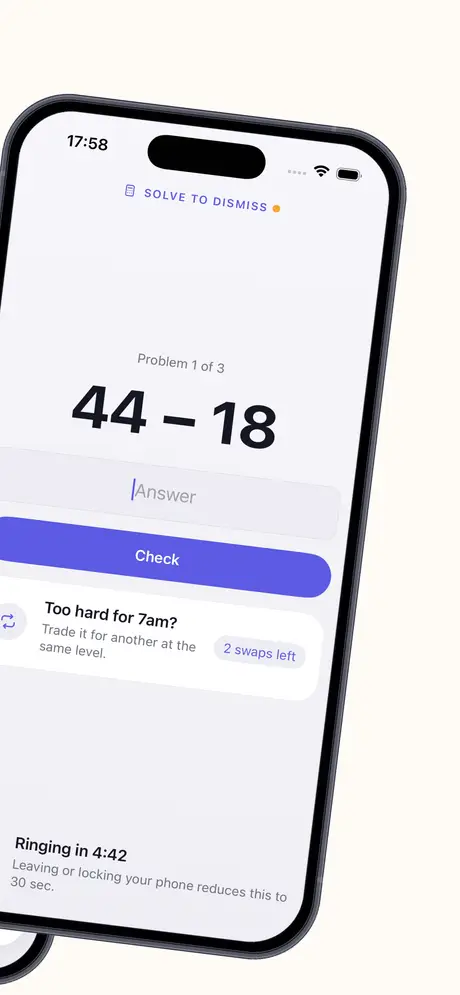
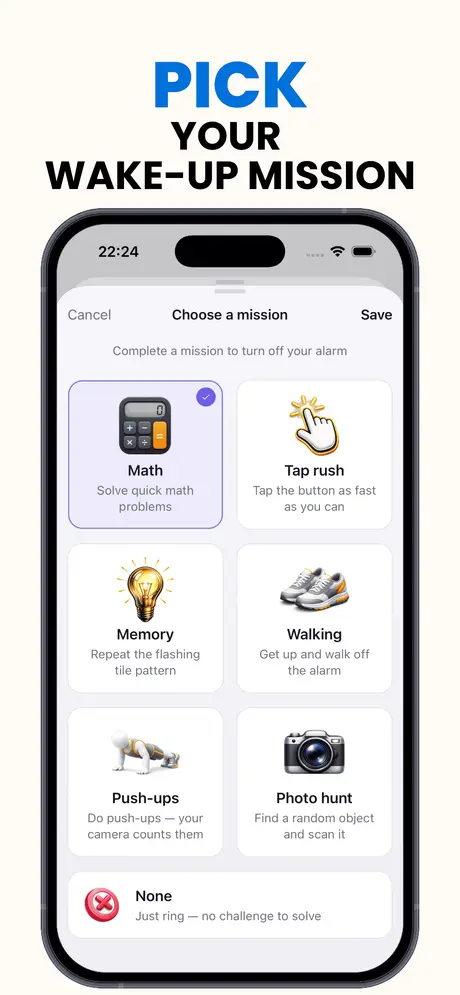
Math, memory, tap rush, steps, push-ups or a photo hunt — and one of three difficulty levels for the version of you that answers at 6 am.
- 2
The alarm doesn’t negotiate
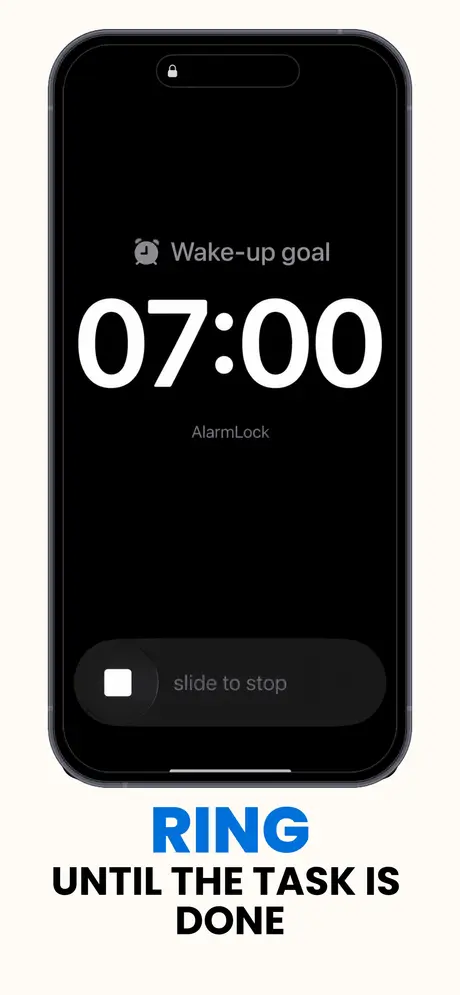
There is no snooze. Silencing the alert drops you into your mission, and the ringing comes back until that mission is done.
- 3
Prove it — don’t claim it
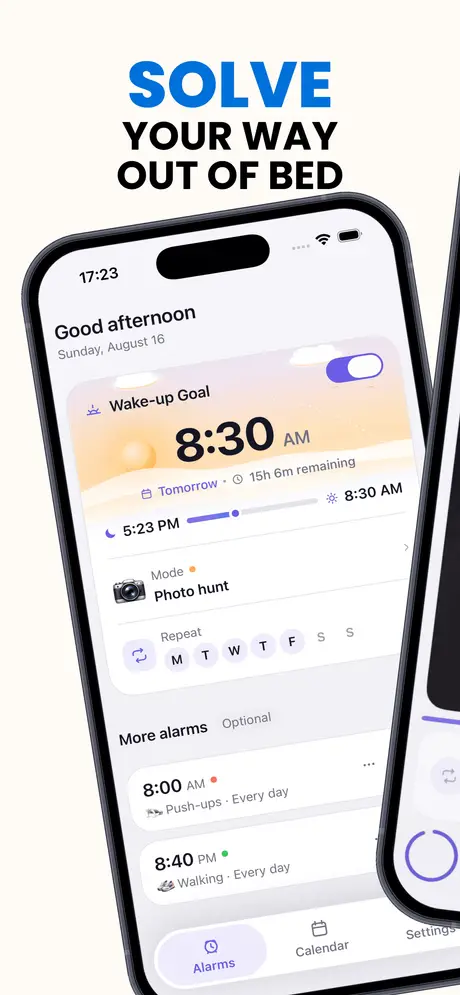
After the mission, hold to record your wake-up before your target time plus a 10-minute grace. Only then does the day count.
The moment that matters
No snooze button. Not hidden — not built.
Silencing the alert doesn’t end the morning: it drops you into your mission, and the ringing comes back until the mission is done. Half-asleep, you can’t finish one by accident.
- On iOS 26+ it rings through Apple’s AlarmKit — app closed, phone locked, ringer off
- Follow-up rings if you walk away mid-mission, backup alerts for stubborn nights
- Inside four hours of your goal the goal locks — no moving it in a moment of weakness
What you get
Built for the person you are at 6 am.
Six missions
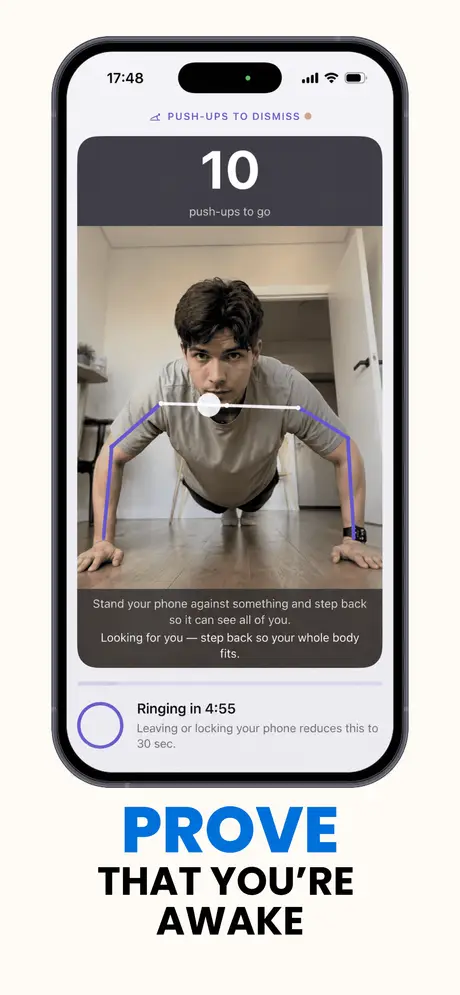
Math, memory patterns, tap rush, real steps, camera-counted push-ups and a photo hunt for objects around you.
Three difficulty levels
Set it for the version of you that answers at 6 am — and raise it when that person gets sharper.
Rings when it matters
AlarmKit scheduling on iOS 26+ fires with the app closed, the phone locked and the ringer off. Earlier iOS gets a background chain with backup alerts.
App Lock for the morning scroll
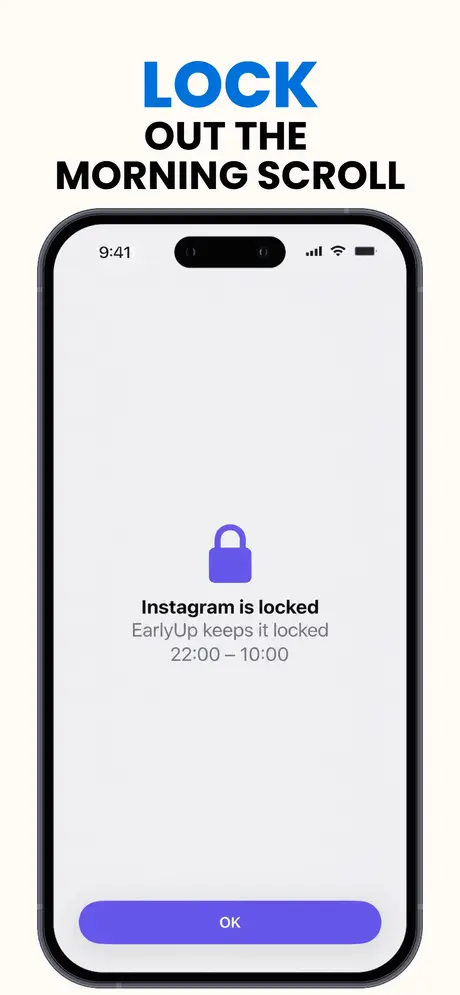
The apps you reach for in bed stay closed during a window you choose. iOS Screen Time enforces it — EarlyUp never sees what you use.
A streak you actually earned
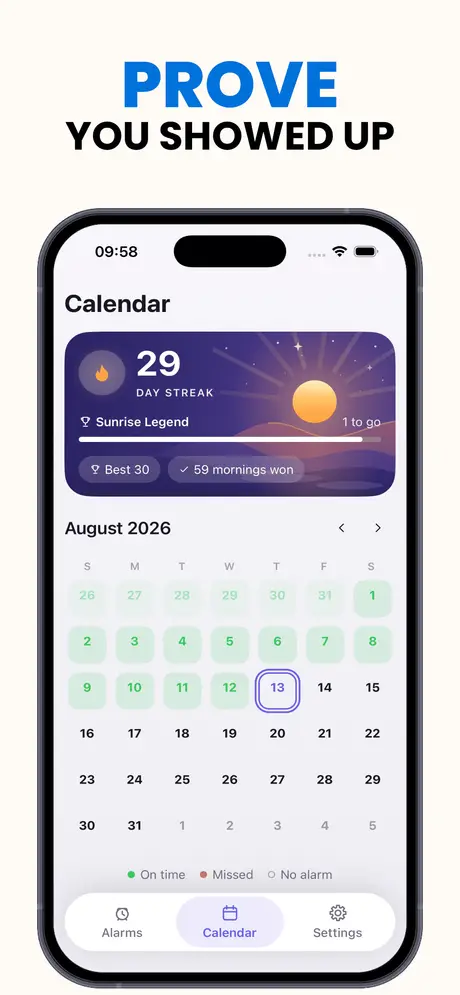
Hold to record your wake-up inside the proof window. A calendar of every morning you won — nothing self-reported.
Wind down the night before
An optional bedtime reminder and a dimmed wind-down screen, because 6 am is decided at midnight.
Inside the app
One goal. No way around it.
Questions
Everything people ask before installing.
There is no snooze button anywhere in the app — not hidden behind a setting, not built. Silencing the alert doesn’t end the morning either: it drops you into your mission, and the ringing comes back until the mission is done.
Math problems, a memory pattern game, a tap-rush speed round, walking with real step counting, push-ups counted by the camera, and a photo hunt where you find and scan real objects around you. Each has three difficulty levels.
On iOS 26 and later, EarlyUp schedules through Apple’s AlarmKit: the alarm fires on time with the app closed, the phone locked and the ringer off. On earlier versions it keeps itself alive in the background with a notification chain and backup alerts behind it.
After the mission you hold to record your wake-up. Do it before your target time plus a 10-minute grace and the day counts toward your streak. You can also record early, any time in the four hours before the alarm. Miss the window and the day doesn’t count.
Nothing. App Lock runs on Apple’s Screen Time: you pick the apps, iOS enforces the block, and EarlyUp never sees which apps you use or for how long.
EarlyUp Plus is a subscription with weekly, monthly and yearly options, plus a one-time lifetime purchase. Subscriptions renew automatically unless cancelled at least 24 hours before the period ends — manage or cancel any time in your Apple Account settings.
There is no account and no sign-up. Your steps, camera frames and app list stay on your phone — they are read while a mission runs and never stored or sent anywhere. There are no marketing notifications in the app.
Contact
Have any questions?
Email us and someone from the EarlyUp team will get back to you.
[email protected]
Tomorrow at 6 am, the argument happens again.
EarlyUp makes sure the version of you that set the alarm finally wins it. Set it tonight. Beat it tomorrow.