Screen time you earn
Your apps stay locked
until you move.
Walk Lock turns your daily steps into screen time. Pick the apps that eat your day, decide how many steps buy a minute, and let Apple Health handle the rest.
Scan to install on your phone
Point your camera at the code — it opens the right store automatically.
- Syncs with Apple Health
- System-level app blocking
- Cancel any time
The real problem
You never decided to spend three hours scrolling.
It happens in ninety-second pieces, between everything else. Screen time reports tell you what already happened. They do not stop it.
Willpower runs out
Blocking apps only works until the moment you want them most — then you tap "ignore limit" and it is over.
Guilt is not a system
A weekly report showing 42 hours does not change tomorrow. It just makes you feel worse about yesterday.
Nothing replaces the habit
Take the phone away and you get restlessness. Walk Lock swaps the loop for something that pays you back.
How it works
Three steps. Then it runs itself.
Set it up once in about a minute. After that, your legs do the accounting.
- 1
Choose what gets locked
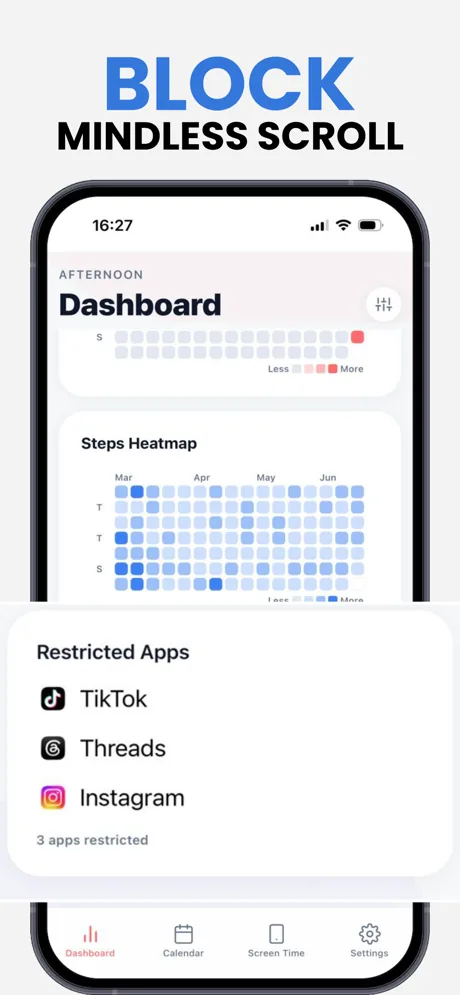
TikTok, Instagram, Threads, YouTube, Reddit — anything that pulls you in. Everything else stays untouched.
- 2
Set your rate
Decide your daily free allowance and how many steps earn an extra minute. Strict or forgiving, your call.
- 3
Walk to unlock
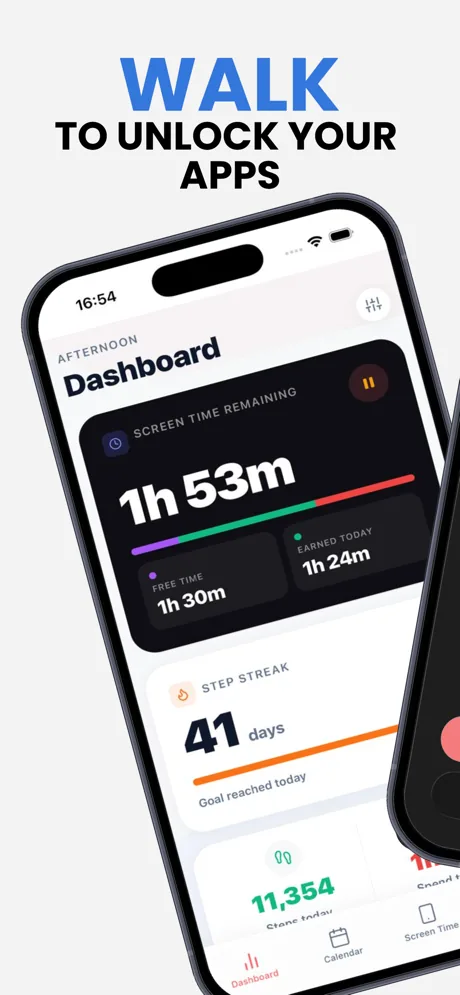
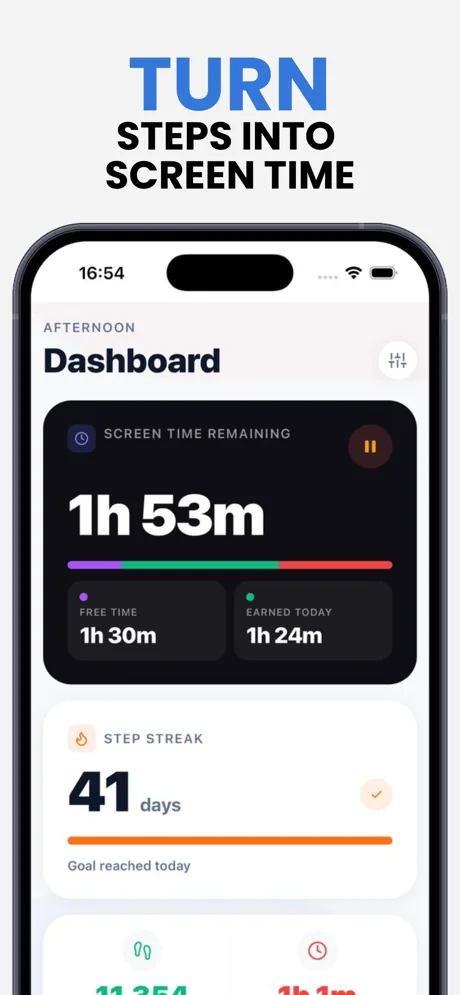
Apple Health counts your steps in the background and tops up your balance. No logging, no timers, no thinking.
The moment that matters
It stops you at the tap, not in a report.
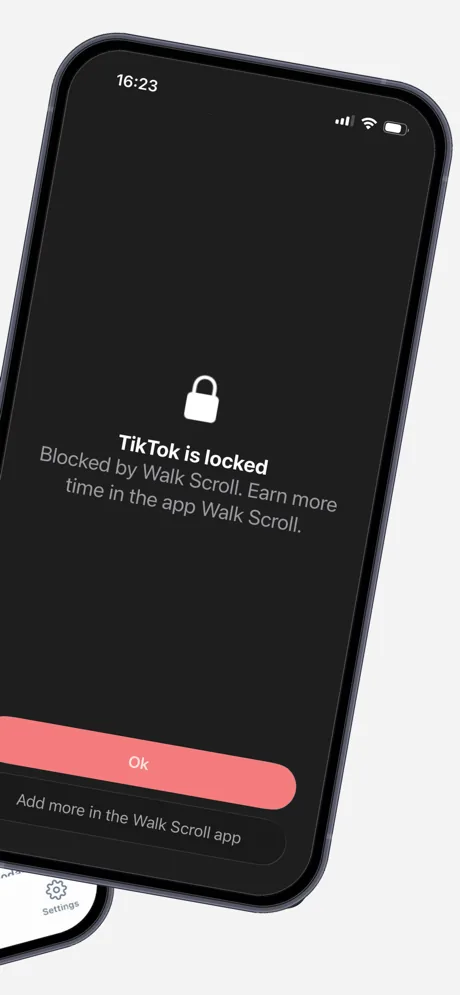
When your balance runs out, the app simply does not open. No dismissible pop-up, no "just five more minutes" button that you press every time.
- Blocking happens through iOS Screen Time, so it holds
- Only the apps you picked are affected — calls and messages keep working
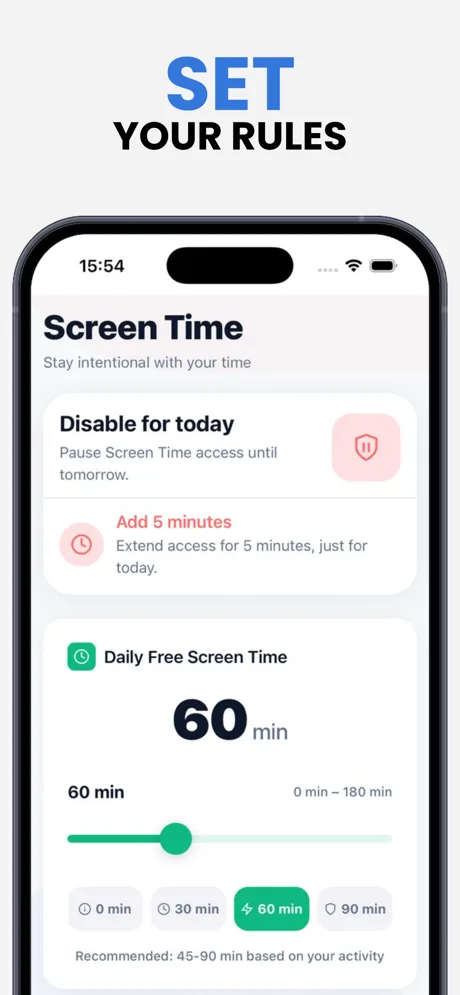
- Need a real exception? Add five minutes, deliberately, and move on
What you get
Built to be lived with, not fought.
Steps into minutes
Your own conversion rate, from generous to brutal. Change it whenever your goals change.
Automatic Health sync
Steps arrive from Apple Health on their own. Nothing to open, nothing to log.
Home screen widget
Remaining time, earned minutes and daily progress, visible before you unlock the phone.
Streaks that stick
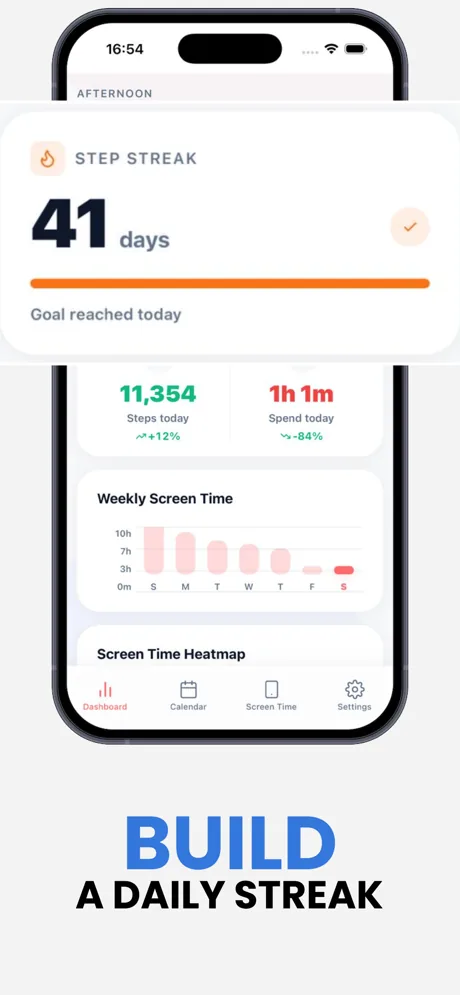
A day counter that only grows when you actually hit your goal — the one number worth protecting.
Honest history
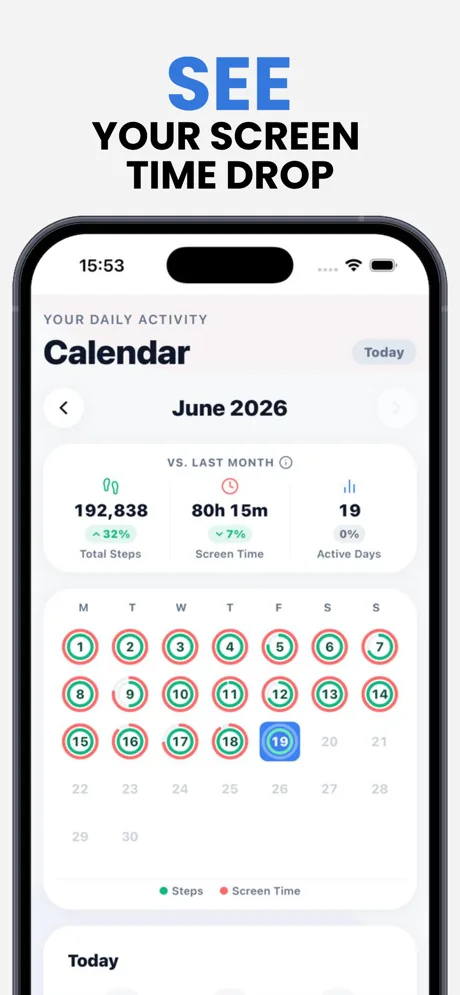
Step and screen-time heatmaps, month-over-month comparisons, and a calendar of every day you showed up.
Your rules
Daily free allowance from 0 to 180 minutes, per-app restrictions, activity goals and a strict mode when you mean it.
Inside the app
Clear numbers. Nothing to configure twice.
Questions
Everything people ask before installing.
It actually blocks them. Walk Lock uses the iOS Screen Time restrictions built into the system, so a locked app will not open until your balance covers it.
From Apple Health, which reads your iPhone motion sensors. Walk Lock does not ask you to log anything manually — it just reads the step count you are already producing.
You always have your daily free allowance, and you can deliberately add five extra minutes. Only the apps you chose are restricted, so calls, messages and maps keep working.
Walk Lock is free to download, and every feature is unlocked for your first 14 days. After the trial it needs a subscription — monthly, yearly, or a one-time lifetime purchase. You can cancel any time from your App Store settings.
Step data is read from Apple Health to calculate the screen time you have earned. The full breakdown of what is collected and why is in the privacy policy, linked below.
Any time, from your App Store subscription settings. Lifetime is a one-time purchase with nothing to cancel.
No. Walk Lock reads the steps your iPhone already counts for Apple Health — it runs no GPS and no background tracking of its own, so the battery impact is negligible.
Contact
Have any questions?
Email us and someone from the Walk Lock team will get back to you.
[email protected]
Tomorrow you will either walk or scroll.
Walk Lock makes that an actual choice instead of a default. Set it up in a minute and see what a week looks like.
Scan to install on your phone
Point your camera at the code — it opens the right store automatically.